

China Stretched Bar Monitor: Key Features and Buying Tips
2026-10-10
Stretched bar monitors are turning heads in retail, transportation, and beyond—but not all displays are built the same. If you're sourcing from China, you need to know the key features that separate a reliable unit from a costly mistake. This guide breaks down what to look for, backed by real-world insights from Jingda-Display, a trusted name in commercial displays. Ready to make an informed choice? Let's dive in.
Not All Stretched Bar Monitors Are Built the Same
A stretched bar display can look nearly identical in product photos, yet the internal engineering often tells a completely different story. Some units rely on lower-grade LCD panels that shift color or lose contrast when viewed from slight angles, while others use industrial-grade panels with wide viewing cones and consistent backlighting across the entire length. The difference becomes obvious in environments with high ambient light or when the screen runs for 18 hours a day.
Beyond the panel itself, thermal design and power circuitry separate reliable bar monitors from those that fail prematurely. Cheaper models may pack components tightly with minimal airflow, leading to hotspots that degrade the display over time. Better builds use efficient heat dissipation, sealed enclosures for dust resistance, and stable voltage regulation, which prevents flicker and extends the product’s usable life in retail or transit settings.
Customization options also vary widely. Some manufacturers only offer fixed lengths and basic HDMI input, while others support daisy-chaining, multiple aspect ratios, brightness up to 1500 nits, and custom mounting profiles. These practical differences affect how easily the display integrates into existing fixtures, how legible it remains in sunlight, and how much maintenance it requires over a five-year deployment.
The Aspect Ratio Sweet Spot for Retail and Signage
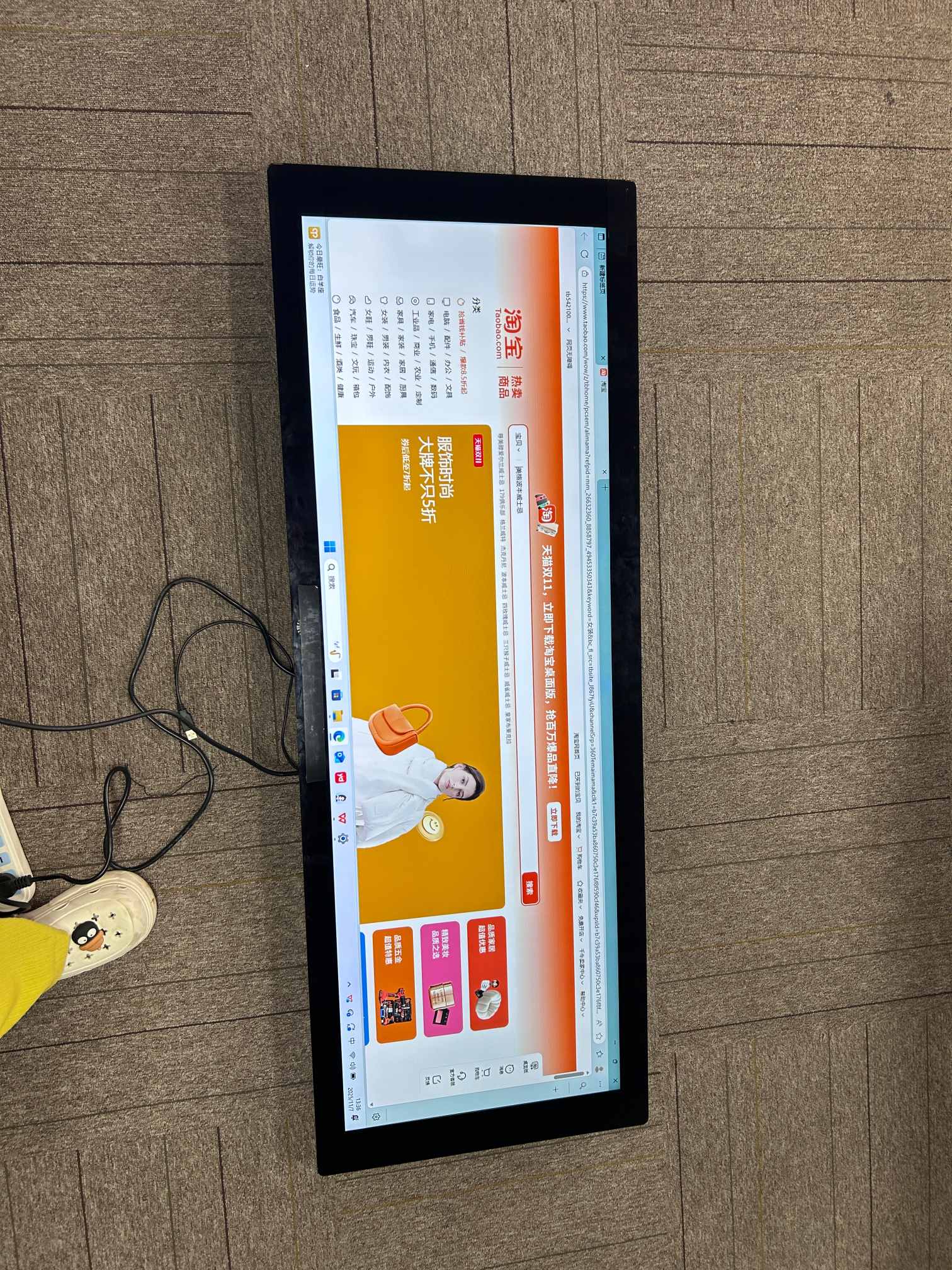
When planning digital signage for a store, the aspect ratio you pick shapes how people move their eyes across the message. 16:9 feels familiar because it mirrors TVs and laptops, but in a retail aisle, that wide frame can waste vertical space or force tiny text. A better starting point is to look at where the screen will live: shelf-edge strips often work better at 4:1 or 3:1, while hanging banners above product tables can handle 16:9 without losing impact.
The real sweet spot isn't a single ratio—it's matching the frame to the viewing angle and dwell time. Near eye level, a 4:5 or 1:1 screen lets shoppers absorb a promotion without stepping back. For window displays viewed from the street, a 9:16 vertical panel can mirror the height of a mannequin and stop foot traffic more effectively than a short, wide strip. Ignoring this leads to stretched logos or dead corners that make the signage look cheap.
If you're testing, start with 16:9 for general multi-purpose screens, then experiment with 4:5 for shelf talkers and 9:16 for end-cap towers. Small changes in proportion often do more for readability than boosting resolution or brightness. The goal is to fill the available space without forcing the viewer to scan back and forth—when the frame matches the natural gaze, the message lands faster and feels intentional.
Brightness, Contrast, and Anti-Glare: What to Look For
When shopping for a monitor, brightness and contrast often get lumped together, but they do different jobs. Brightness is measured in nits—most everyday displays hover between 250 and 350 nits, which is fine for a dim room but can wash out near a sunny window. If your desk catches direct light, aim for 400 nits or higher. Contrast, on the other hand, is the gap between the darkest black and the brightest white. A ratio of 1000:1 is standard for IPS panels, while VA panels can push 3000:1, making shadows and night scenes feel deeper. Don’t just trust the spec sheet, though: a screen with lower measured contrast can still look better if its backlight bleed is minimal, so check reviews that test real units.
Anti-glare coatings are the third piece of the puzzle, and they’re often overlooked until you’re staring at your own reflection. There are two common types: matte and glossy. Matte finishes scatter light to reduce harsh reflections, which is great for offices with overhead lighting, but they can soften text slightly. Glossy screens deliver punchier colors and sharper text, yet they turn into mirrors under bright bulbs or daylight. Some manufacturers now use a semi-gloss or “low-haze” matte coating that balances the two—less sparkle than traditional matte, fewer reflections than pure gloss. If you can’t see the screen in person, look for photos of the display under typical room lighting to gauge how the coating behaves.
The real trick is matching these three features to your daily routine. If you work with spreadsheets all day, a high-brightness matte panel reduces eye strain and keeps glare at bay. For photo or video editing, contrast and color accuracy matter more, so you might tolerate a glossy screen or calibrate brightness down to 120–160 nits for consistent results. Gamers often want high contrast and a dark-room-friendly anti-glare treatment that won’t muddy fast motion. The best approach: list your top two use cases, then prioritize the spec that influences them most—brightness for bright rooms, contrast for dark scenes, or anti-glare for mixed lighting. A monitor can’t excel at everything, but it can nail what you actually notice every day.
Inputs, Media Players, and Remote Management
Modern display environments rarely rely on a single source. The input stage accepts a mix of HDMI, DisplayPort, USB-C, and legacy VGA connections, with automatic detection that switches to the active feed without manual intervention. Each input can be labeled and prioritized from the on-screen menu, so a connected laptop or conference camera appears exactly where you expect it.
Built-in media playback removes the need for an external box in many setups. Common video, image, and audio formats run directly from USB storage or from a network share, with basic scheduling and looping options available. Playback settings, including volume normalization and aspect ratio handling, are stored per input, which keeps transitions between a presentation laptop and a looping welcome video looking clean.
Remote management ties everything together without requiring someone to stand in front of the screen. From a local web console or a paired mobile app, you can wake or sleep the display, switch inputs, adjust volume, and pull basic status information such as temperature and signal lock. Access can be restricted by role, and firmware updates roll out across multiple units from a single interface, which is useful in rooms where the display is mounted out of reach.
Mounting, Cooling, and Long-Term Reliability
Mounting decisions often get rushed, but they set the stage for everything downstream. A flat, clean contact area matters more than most people expect—surface roughness beyond 0.4 mm can trap air pockets that act like thermal insulators. Use a calibrated torque driver when securing the module; even a 0.2 N·m overshoot can warp the baseplate enough to reduce contact pressure at the center. If you're working with a heatsink that has pre-applied phase-change material, don't disturb the liner until the final alignment is set.
Cooling is less about adding fans and more about managing the path of least resistance. For passive designs, orient fins vertically so natural convection works with you, not against you. With forced air, place the fan a few centimeters away from the fin inlet—this small gap breaks up the dead zone directly under the hub and improves flow uniformity by roughly 15-20% in many enclosures. Monitor the inlet temperature rather than the heatsink temperature alone; a rise of 5°C at the intake can erase the margin you thought you had.
Long-term reliability doesn't come from a single spec—it comes from how the assembly handles repeated thermal cycles. Solder joints between the board and the module see shear stress every time the system heats up and cools down. If the CTE mismatch is high, consider using a compliant thermal pad instead of rigid adhesive, or add strain relief slots in the PCB. Also check the clamping force after the first 100 hours of operation; many TIMs settle and lose 10-15% of their initial pressure, which leads to slow temperature creep over the next year.
Before You Order: Questions Suppliers Should Answer
Getting a clear picture before you commit to a purchase means asking the right questions upfront. Many buyers focus only on price or lead time, but the real risk often hides in the details suppliers don't volunteer. Whether you're sourcing raw materials, components, or finished goods, a few direct questions can save you from costly surprises later.
Start with the basics that affect your daily operations: What are your minimum order quantities and how flexible are they during slow seasons? Can you provide a realistic production schedule, including any planned maintenance or holiday shutdowns? And what happens when something goes wrong—who covers the cost of defective items or delayed shipments? A supplier who hesitates or gives vague answers on these points may not be your best long-term partner.
Beyond logistics, dig into quality and continuity. Ask to see recent batch test results or third-party inspection reports. Find out if they've worked with businesses at your scale before, and whether they can support you as you grow. Also ask about their own raw material sources—supply chain instability upstream often becomes your problem downstream. The goal isn't to interrogate anyone; it's to confirm this supplier can handle your needs without constant follow-up and firefighting.
FAQ
These are ultra-wide, slim displays originally built for shelf-edge advertising in retail, but they've spread to bus info screens, airport gate displays, and even control room dashboards. The key is the aspect ratio—usually somewhere between 16:3 and 16:5—so they fit narrow horizontal spaces without wasting pixels.
Don't just trust the product photos. Measure your recessed space in millimeters and compare it to the exact outer dimensions, including any rear bulge for the control board. Many buyers forget to leave at least 10mm on each side for heat dissipation and end up forcing the panel in or blocking the vents.
If the screen faces a window or sits in a brightly lit store, aim for at least 700 to 1000 nits, otherwise the content will look washed out. For true outdoor or semi-outdoor use, go for 2000 nits or higher, and check whether the brightness can be automatically adjusted based on ambient light.
Yes, many models support HDMI loop-out and RS232 or LAN control, so you can daisy-chain them and sync playback. But cheap units sometimes drop frames or have signal degradation after the third or fourth screen, so ask for a demo or check the specs for how many units the loop-out can drive reliably.
The built-in players on budget models often only support a handful of video codecs, and USB auto-play can be finicky with large files or mixed formats. If you need reliable 24/7 playback, either choose a model with an industrial-grade Android board or plan to use an external player via HDMI instead of relying on the internal USB slot.
Confirm the VESA pattern matches your bracket, but also look at the rear profile—some stretched monitors have a raised section for the power board that prevents using thin flush mounts. Cooling is often overlooked; the vents must not be covered by the mount or shelf, and if the monitor is enclosed, leave an air gap or add a small fan.
Ask about the panel grade and dead pixel policy. A-grade panels should have zero bright dots and no visible mura or yellow tint at the edges. Also check the brightness uniformity spec if available—many cheap stretched panels show noticeable hotspots near the edges, which looks terrible on a long shelf display.
If you're deploying more than five or six units across different locations, remote management is a lifesaver because you can update content and adjust settings from one dashboard instead of walking to each screen. Auto-brightness pays off in spaces with changing daylight, like storefronts near glass doors, because it prevents the screen from looking too dim in the afternoon or blinding at night.
Conclusion
Many buyers assume every stretched bar monitor coming out of China is basically the same, but that is far from true. Panel quality, backlight construction, and internal thermal design vary sharply between factories, even when the listed size and resolution look identical. For retail shelves, transit signage, or menu boards, the aspect ratio has to match the actual space. A 16:3 or 32:9 panel often works better than a generic ultrawide because it fills the horizontal area without wasted pixels. Brightness matters more than most people expect. If the screen faces a window or sits under strong store lighting, look for at least 700 to 1000 nits, and make sure the anti-glare coating is a true matte finish rather than a cheap film that washes out colors. Contrast ratio also needs real-world testing, not just paper specs.
Beyond the panel itself, check the input ports and playback options. Most models include HDMI, USB, and sometimes LAN, but the built-in media player quality varies. A reliable CMS for remote content updates is essential if you are managing multiple screens across locations. Mounting hardware should support both landscape and portrait orientation, and the enclosure must allow proper passive or active cooling for 24/7 operation. Before placing an order, ask the supplier specific questions: What is the actual rated backlight lifespan? Has the thermal design been tested at 40°C or higher? Can they provide firmware updates and spare parts? How do they handle warranty claims internationally? Also request a sample unit and run it for at least a week under your own conditions. A low price means nothing if the monitor starts flickering after three months or cannot be serviced remotely.
Contact Us
Contact Person: Vincent
Email: [email protected]
Tel/WhatsApp: 86 135 5485 1379
Website: https://www.jda-display.com/